
LuckyStart Casino App
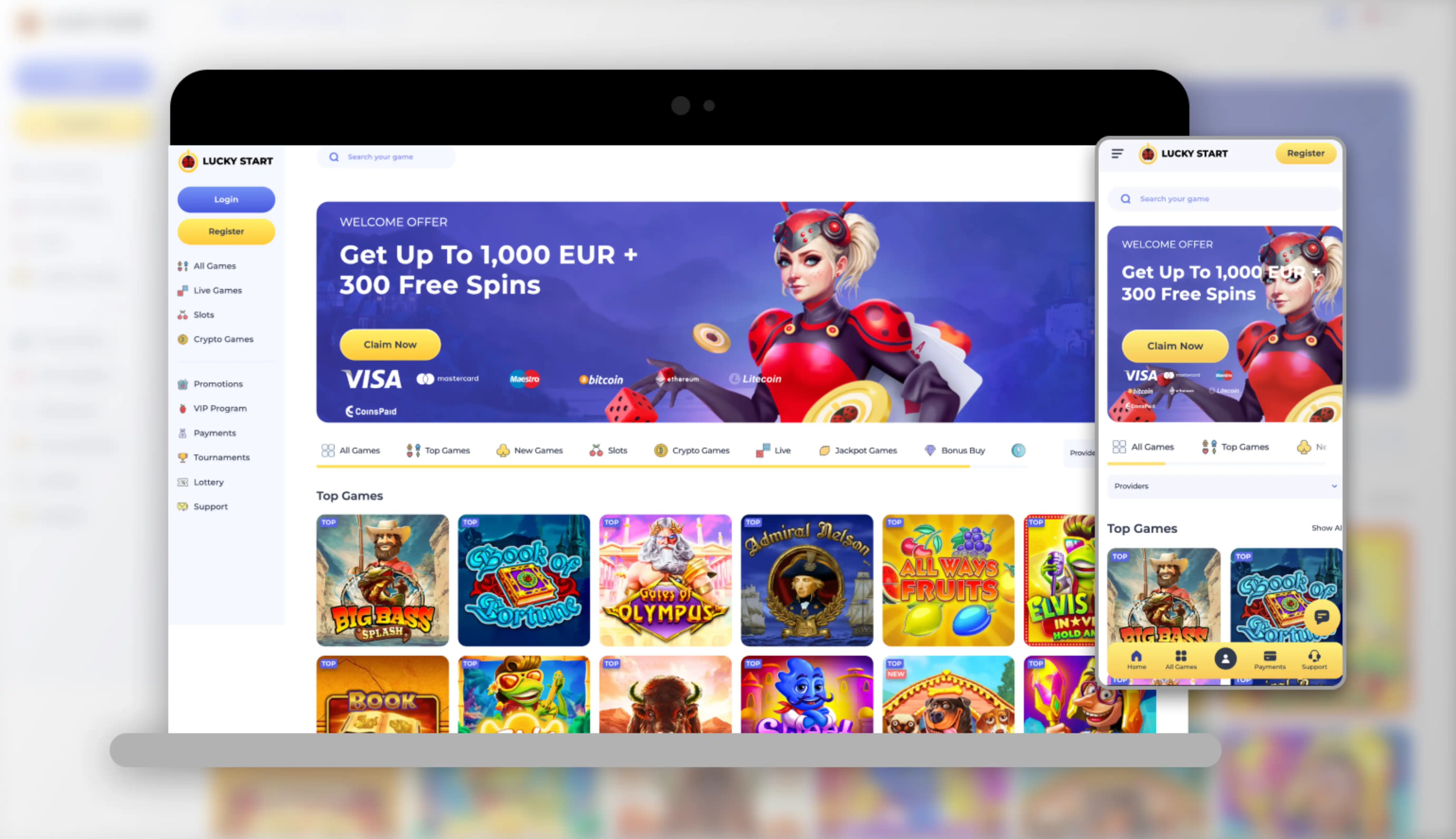

At LuckyStart, we know you want to play wherever you are, which is why we've built our platform to work flawlessly on any smartphone or tablet without asking you to download anything at all. Instead of a traditional native app, Lucky Start gives you instant access through your mobile browser, so there's no app store search, no storage space taken up, and no waiting for updates. Whether you're on Android, iOS, or any other device with a modern browser, LuckyStart Casino opens instantly and runs just as smoothly as a dedicated application would.
We designed our mobile experience this way deliberately. Native apps can be slow to update, take up valuable storage, and sometimes get pulled from app stores due to regulatory changes. Our browser-based approach means Lucky Start Casino is always current, always accessible, and never dependent on third-party app marketplaces. You simply open your browser, head to our site, and you're ready to play.
How to Access the LuckyStart Casino App Experience
Getting started with our mobile platform takes only a minute. We've optimized every page so that navigating on a small screen feels just as intuitive as it does on desktop.
For Android Users
- Open Chrome or your preferred Android browser
- Go to the official luckystart.com website
- Log in or create your account
- Tap the browser menu and select "Add to Home Screen" for quick future access
- Launch LuckyStart directly from your home screen like a regular app
For iOS Users
- Open Safari on your iPhone or iPad
- Navigate to luckystart.com
- Sign in to your existing account or register a new one
- Tap the share icon and choose "Add to Home Screen"
- Enjoy Lucky Start Casino with a single tap, no App Store required
This method gives you nearly everything a downloadable app would offer, an icon on your home screen, fast loading, and full-screen play, while keeping things lightweight and secure. There's no installation file to worry about and no risk of downloading anything outside official app stores.
Logging Into Your Account on Mobile
Once you've set up quick access to luckystart.com, signing in is simple. We keep our login process consistent across desktop and mobile so you never feel lost switching between devices. Enter your username and password, and you'll land straight in your account, ready to check your balance, browse games, or head to the cashier. If you ever forget your credentials, our support team is on hand around the clock to help you recover your account quickly. New players can complete the quick LuckyStart sign up process directly from their mobile browser.
Gaming on the Go
With over 2,000 games in our library, you'll find that our mobile site handles everything from slots to live dealer tables without a hitch. Our Live Games section, featuring providers like Evolution, Ezugi, and Pragmatic Play Live, streams smoothly even on standard mobile data connections. You can jump into blackjack, roulette, or video poker in seconds, and our Jackpot Games and Accumulating sections are just as easy to browse on a small screen.
If you're someone who likes chasing bigger wins, you'll appreciate that progressive jackpots are paid out in full and don't count against our standard withdrawal limits, a detail that applies whether you're playing from your phone or your desktop.
Security When Playing on Mobile
We take account safety seriously regardless of which device you use. LuckyStart operates under a Tobique Gaming Commission e-gaming licence, and every transaction, whether a deposit or withdrawal, is processed with the same verification standards on mobile as on desktop. Identity verification runs through Noda, and your personal details remain protected by industry-standard encryption throughout your session.
We also want to remind you that using a VPN to access luckystart casino from a restricted location is strictly prohibited and can result in confiscated winnings, so always connect from a supported region to keep your account in good standing.
Claiming Bonuses Through the Mobile Site
One of the best parts of playing on mobile with us is that every promotion available on desktop carries over seamlessly. Our welcome package of up to EUR 4,500 plus 300 free spins across four deposits is just as easy to claim from your phone as it is from a computer. The first deposit bonus credits automatically with no code needed, while the second, third, and fourth deposits use codes LUCKY2, LUCKY3, and LUCKY4 respectively. You can enter these codes directly through the mobile cashier without any extra steps.
We also run regular promotions like Fabulous Friday Reload and Super Sunday free spins, and these are all fully accessible whether you're browsing on your laptop or playing LuckyStart casino on your phone during a commute. If you're searching for a luckystart casino bonus or a luckystart bonus code, you'll find everything listed clearly in our mobile promotions tab, updated in real time. For a full breakdown of current offers, visit our LuckyStart bonus page.
| Welcome Offer | Details |
|---|---|
| Total Package | Up to EUR 4,500 + 300 free spins |
| 1st Deposit | 100% up to EUR 500 + 150 free spins |
| 2nd Deposit (code LUCKY2) | 100% up to EUR 1,000 + 50 free spins |
| 3rd Deposit (code LUCKY3) | 50% up to EUR 1,000 + 100 free spins |
| 4th Deposit (code LUCKY4) | 25% up to EUR 2,000, no free spins |
| Wagering Requirement | 40x on bonus and free spin winnings |
Customer Support While You Play
If you run into any trouble while using LuckyStart on your phone, we're here to help right away. Our support channels include:
- Live Chat: available 24/7 directly within the mobile site
- Email: [email protected]
- FAQ Section: accessible from the mobile menu for quick answers
Why We Built a Browser-Based Experience Instead of a Native App
We've made a conscious decision to keep casino lucky start fully browser-based rather than pushing a downloadable file. This approach has several advantages for you as a player:
- No storage space used on your device
- Instant updates without manual downloads
- Works across Android, iOS, Windows Phone, and any device with a browser
- No risk of installing files from unofficial sources
- Full access to every game, bonus, and account feature found on desktop
Our Lucky Start Casino platform adapts automatically to your screen size, whether you're on a compact phone or a larger tablet. Buttons, menus, and game windows resize intelligently so you never have to pinch or zoom to find what you need.

Final Thoughts
We believe that a fast, reliable browser experience beats a bulky downloadable app every time. With LuckyStart, you get instant access to our full game library, ongoing promotions, and secure banking options, all without cluttering your phone with another application. Whether you're searching for lucky start online casino action during a lunch break or settling in for an evening of live dealer games, our mobile platform is ready whenever you are.
FAQ
Do you offer a downloadable app for Android or iOS?
We don't offer a native downloadable app. Instead, we provide a fully optimized mobile browser experience that works on any device, giving you instant access without installation.
How do I add LuckyStart to my home screen?
You can open our site in your mobile browser, tap the menu or share icon, and select "Add to Home Screen." This creates a shortcut so you can launch Lucky Start casino with one tap, just like an app.
Can I claim bonuses through the mobile site?
Yes, every bonus we offer, including our welcome package and reload promotions, is fully available through mobile. You can enter bonus codes directly in the mobile cashier.
Is luckystart casino login the same on mobile and desktop?
Yes, we use the same login credentials across both platforms, so you can switch between your phone and computer without creating separate accounts.
Is it safe to play from my phone?
Absolutely. We apply the same licensing standards, encryption, and verification processes on mobile as we do on desktop, so your account stays protected no matter which device you use.
What devices are supported?
Our platform works on Android, iOS, and most other devices with an up-to-date browser. There's no need for a specific operating system version or app compatibility check.